Designing for AI Automation
UX Designer at Levity AI GmbH
Levity AI empowers organizations to automate complex workflows by leveraging artificial intelligence for unstructured data processing. I collaborated across teams to gather user feedback and optimize the platform's no-code interface, creating an intuitive system that offers seamless automation of tasks involving text, images, and documents.
01
My Role & Impact at Levity
Research
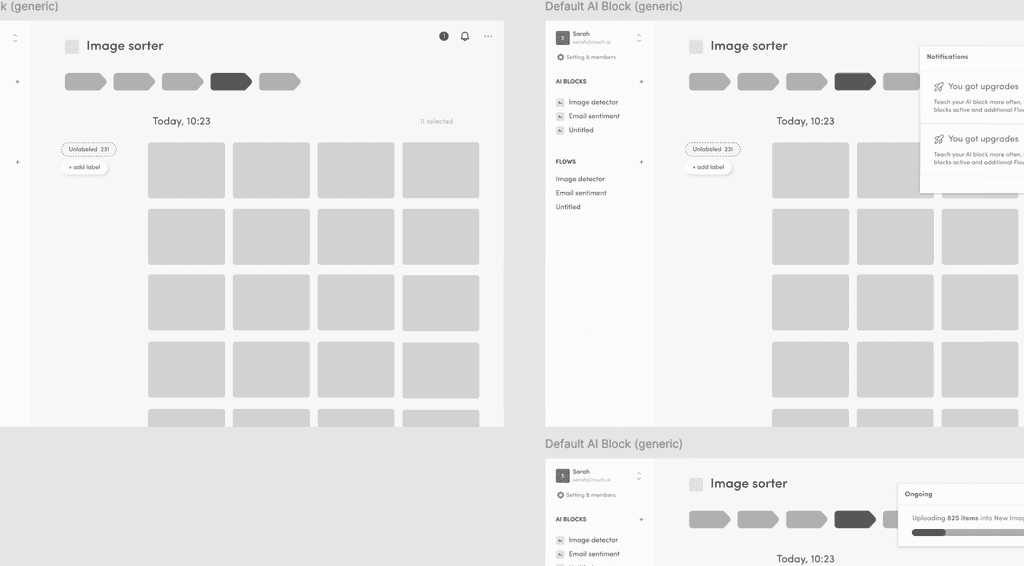
Conducted competitor analysis, built click through prototypes and ran multiple rounds of internal user testing on them to synthesize insights into actionable design ideas.
Design
Collaborated with a senior designer to optimize key user journeys on the platform. Developed wireframes and high-fidelity prototypes for these critical user paths, focusing on delivering a seamless user experience. Prepared meticulously organized art boards for smooth developer handoff, ensuring efficient implementation of the optimized journeys.
Branding
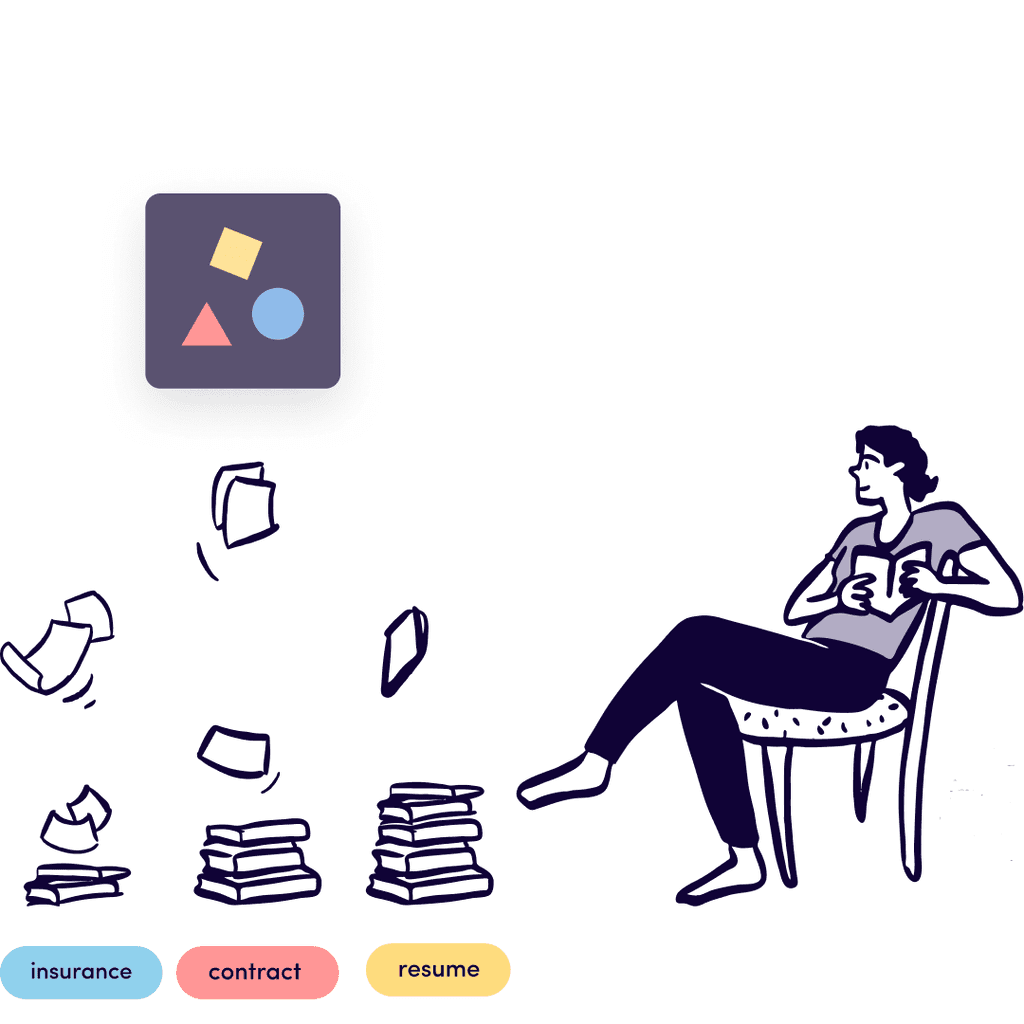
With marketing team and a freelance illustrator, we developed a set of illustrations (Spot & Scene) for both product and marketing purposes. Assisted in creating design templates for slides and social media marketing materials.
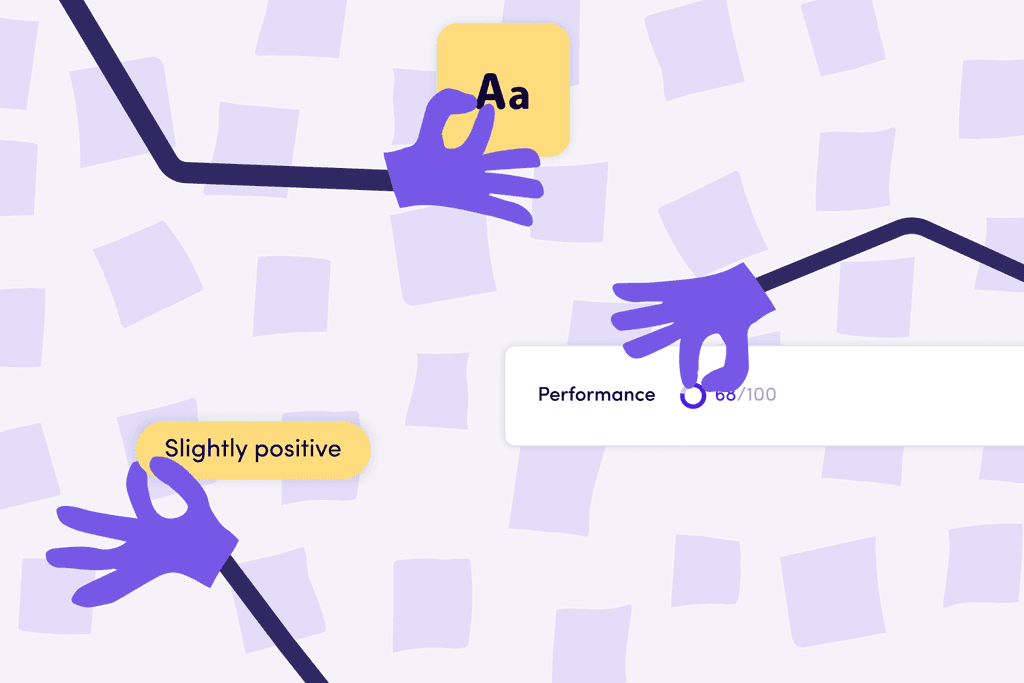
UX for AI: The role of transparency
The Marketing team reached out to the Design team for a piece on "UX for AI" for the Product Blog. Being the design geek that I am, I couldn't refuse. I ended up writing a 2619 word essay on the topic.
PS.. I also did the illustration.
02
Problem
The primary challenge was that many users felt overwhelmed and did not finish training their custom AI model, which is the core USP of the platform. Instead, they opted for the pre-trained templates provided. Users struggled to understand the process of building and integrating their AI-powered workflows, expressing a desire for more guidance and clarity to build trust and confidence in the platform's capabilities.
03
Research
Competitor Analysis
Competitor Analysis conducted an in-depth analysis of direct competitors in the AI-powered workflow automation space, including these platforms:
Zapier, Make (formerly Integromat), Workato, Tray.io
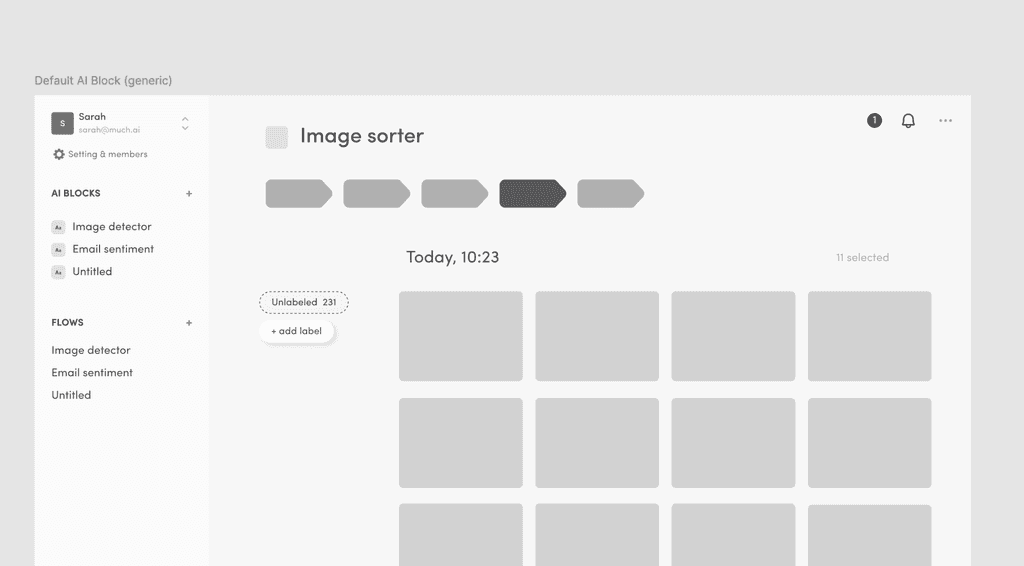
The analysis showed that these platforms prominently feature extensive app integrations and real-time performance metrics, providing users with powerful tools to create custom automated workflows. While some of these competitors prioritized non-linear workflows for greater flexibility, we opted for a shorter but linear flow to aid those who were relatively new to using AI in their workflows. This approach helps organizations streamline operations and boost productivity across various departments, particularly for users just beginning to incorporate AI into their processes.
04
Design
Based on user feedback and testing, we optimized the data upload and labeling process, condensing the 5-step process into three streamlined steps. We also simplified the training and testing of users' custom AI models. This approach allowed us to validate and adjust our assumptions about user behavior. Key insights from user feedback led to improvements in the platform's core functionalities, focusing on enhancing the user experience for those new to incorporating AI into their workflows.
Three Step Flow
Previously, users needed to navigate multiple steps to import and label data before training their model. This was a key drop-off point for our users.
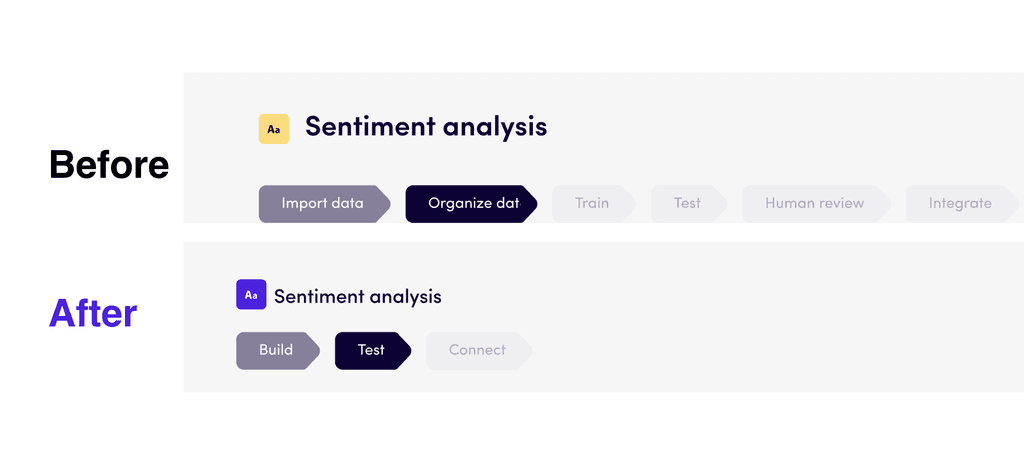
While some competitors prioritized non-linear workflows for greater flexibility, we opted to streamline our process into three linear stages, optimizing it according to Miller's Law. This approach keeps the number of steps within the ideal range of 7±2 items for effective working memory. We then condensed these stages into a single "Build" step, allowing users to upload, label, and train their model all at once. This change led to an impressive 30% increase in users-initiated training runs.
Labeling UX
To teach the AI model to recognize the difference between say, Positive and Negative, users need to label at least 20 examples of each category. To facilitate this, we needed a quick, intuitive and single input means for labeling the data they uploaded to the platform.
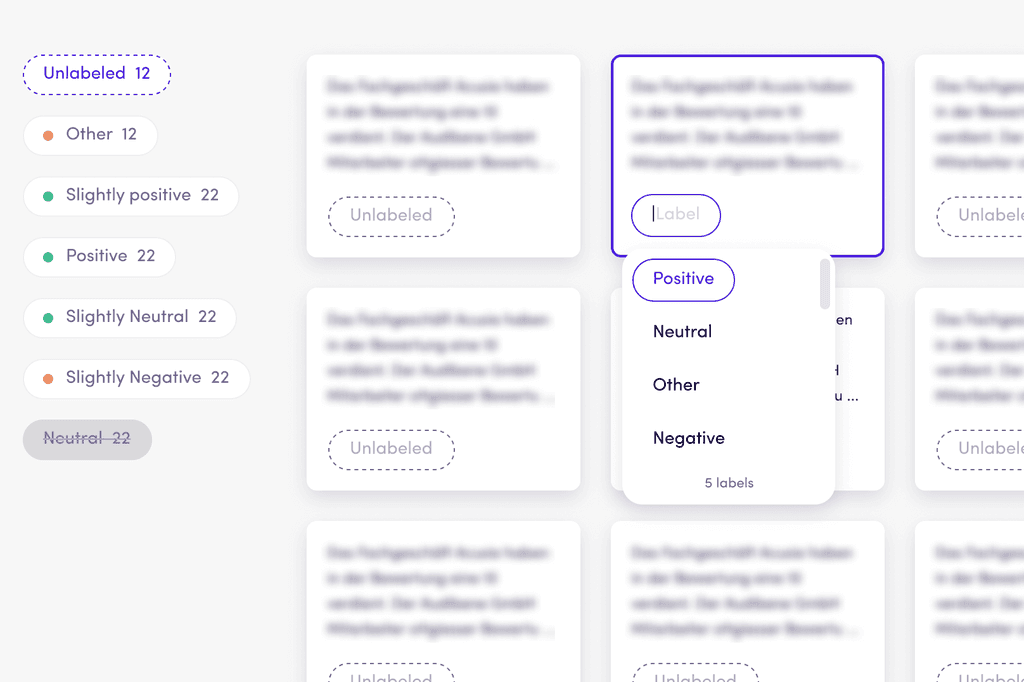
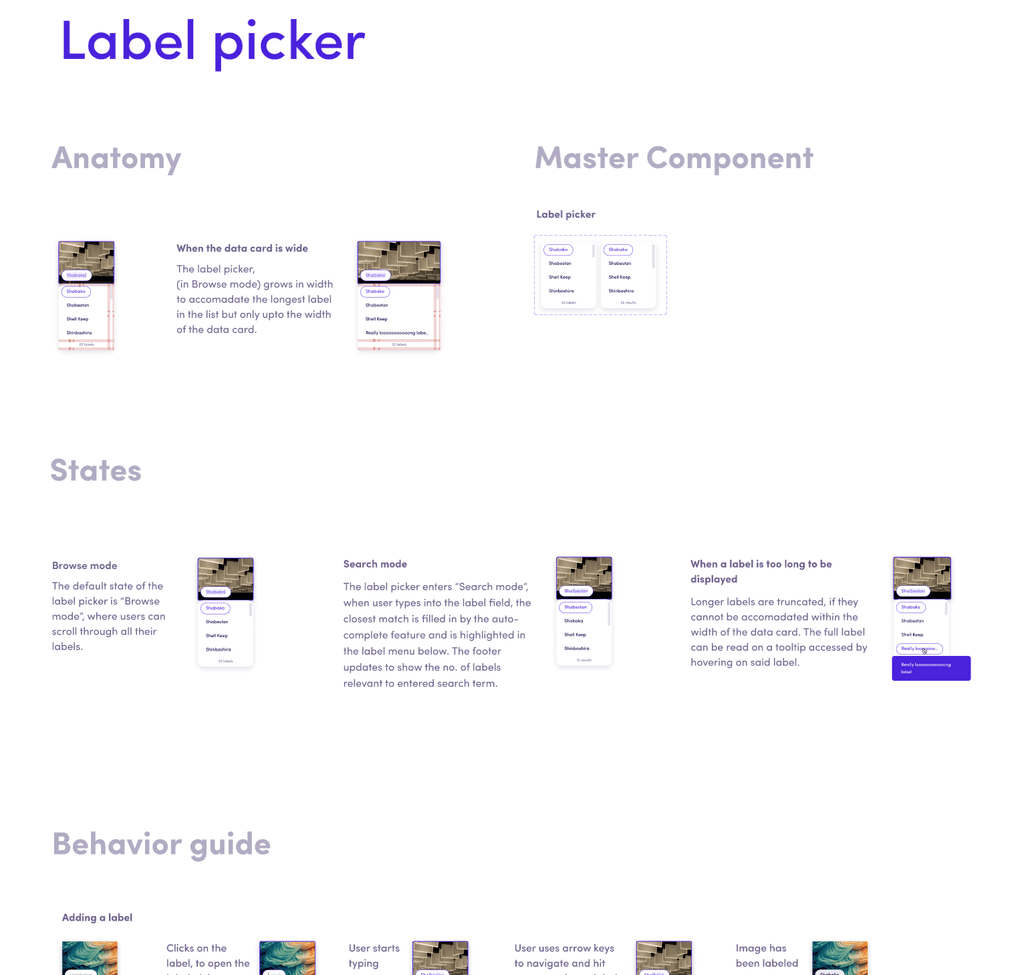
I designed the label picker component with two primary modes: Search and Browse. Each mode was optimized to support the respective user behaviors of browsing and searching. With simplicity in mind, all labeling functionality was handled by this single component. Importantly, I ensured the component was fully operable with a keyboard, allowing users to label efficiently without switching input modes. This feature was particularly crucial for power users, who we learned often worked with 30+ labels per model, as it significantly reduced frustration and improved labeling speed.
Guidance Checklist
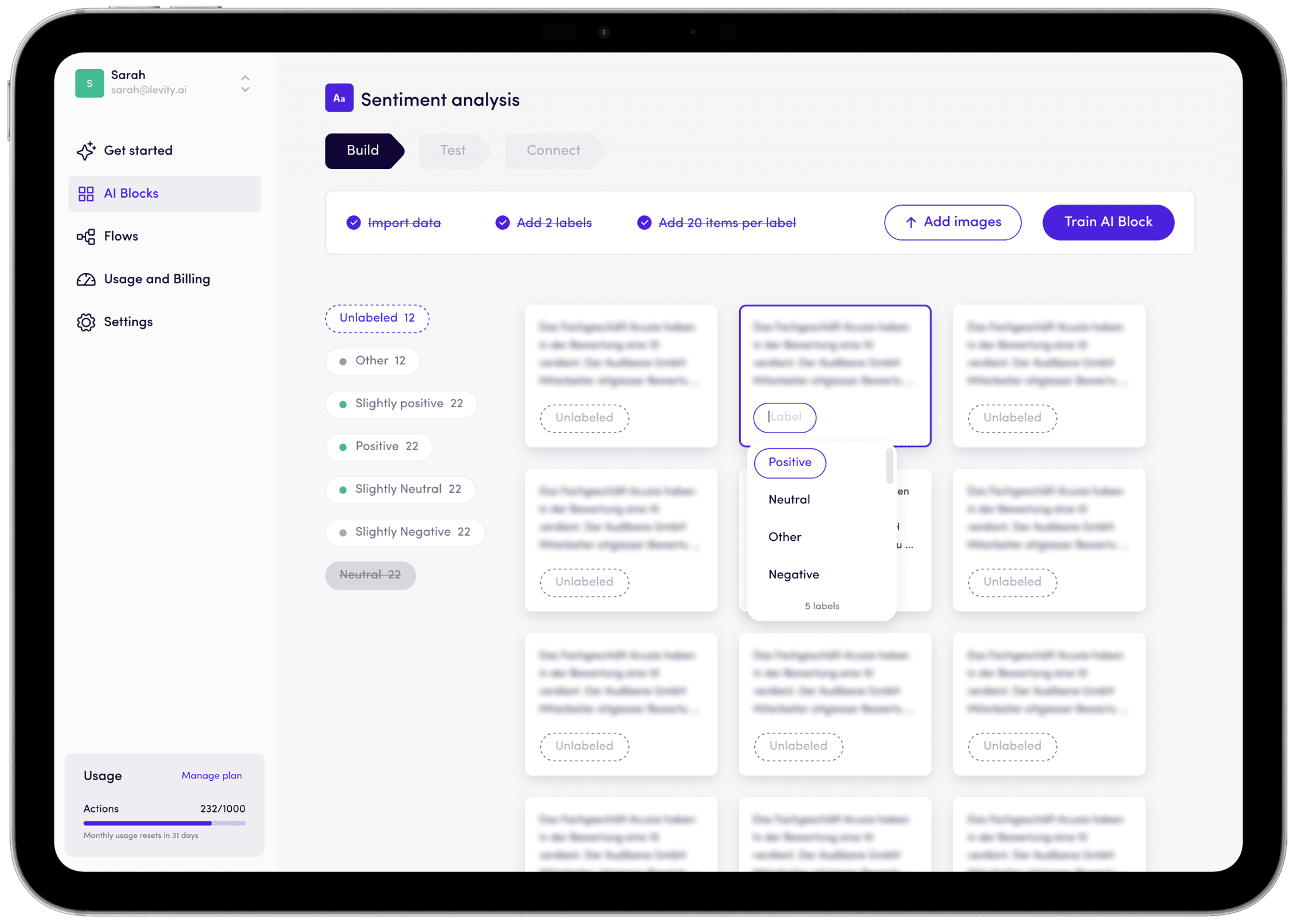
Users sought guidance on the optimal number of data points to label before training, aiming to ensure acceptable AI model performance in classification tasks. Additionally, with limited monthly training runs based on subscription plans, users wanted to maximize the value of each training session.
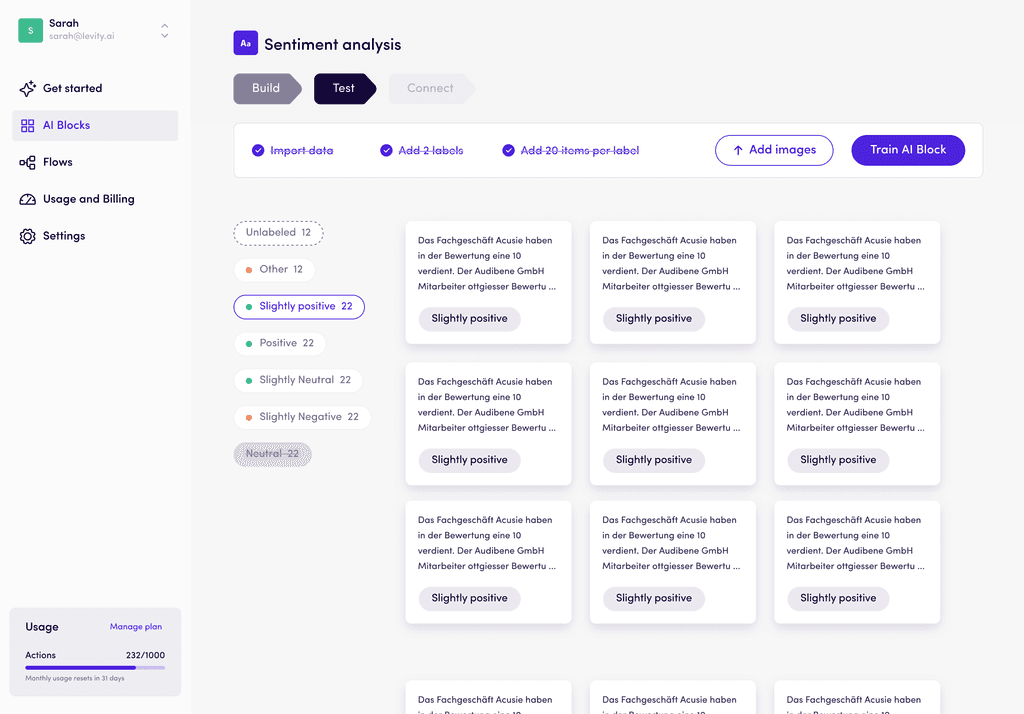
To address this issue, we added a checklist of three conditions at the top of the interface, conveniently located next to the "Add Data" and "Train" buttons. The "Train" button remains inactive until these conditions are met. This adjustment provides clear guidance and a feeling of progression all while helping users avoid wasting training runs initially while navigating our platform.

Testing the model
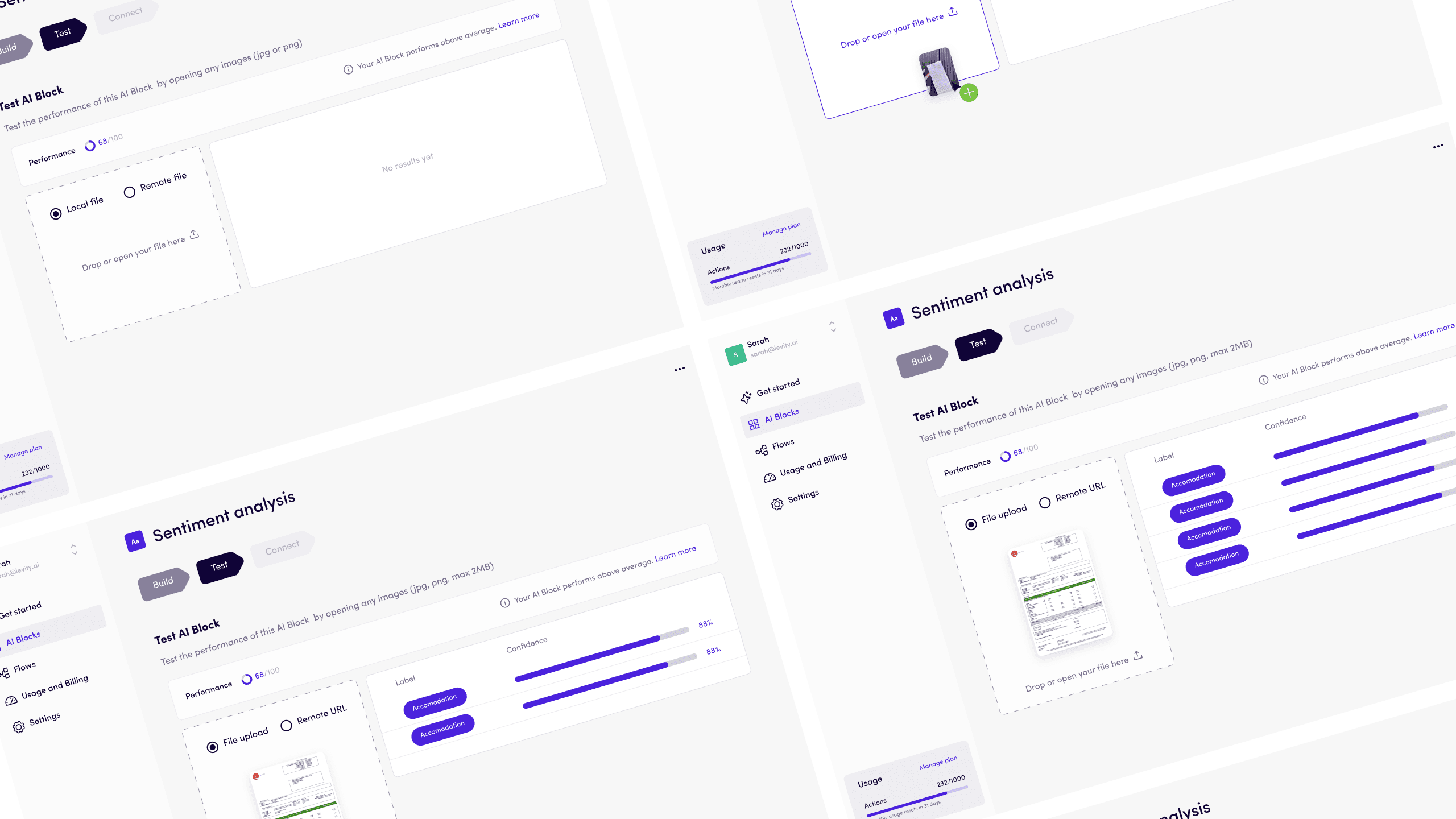
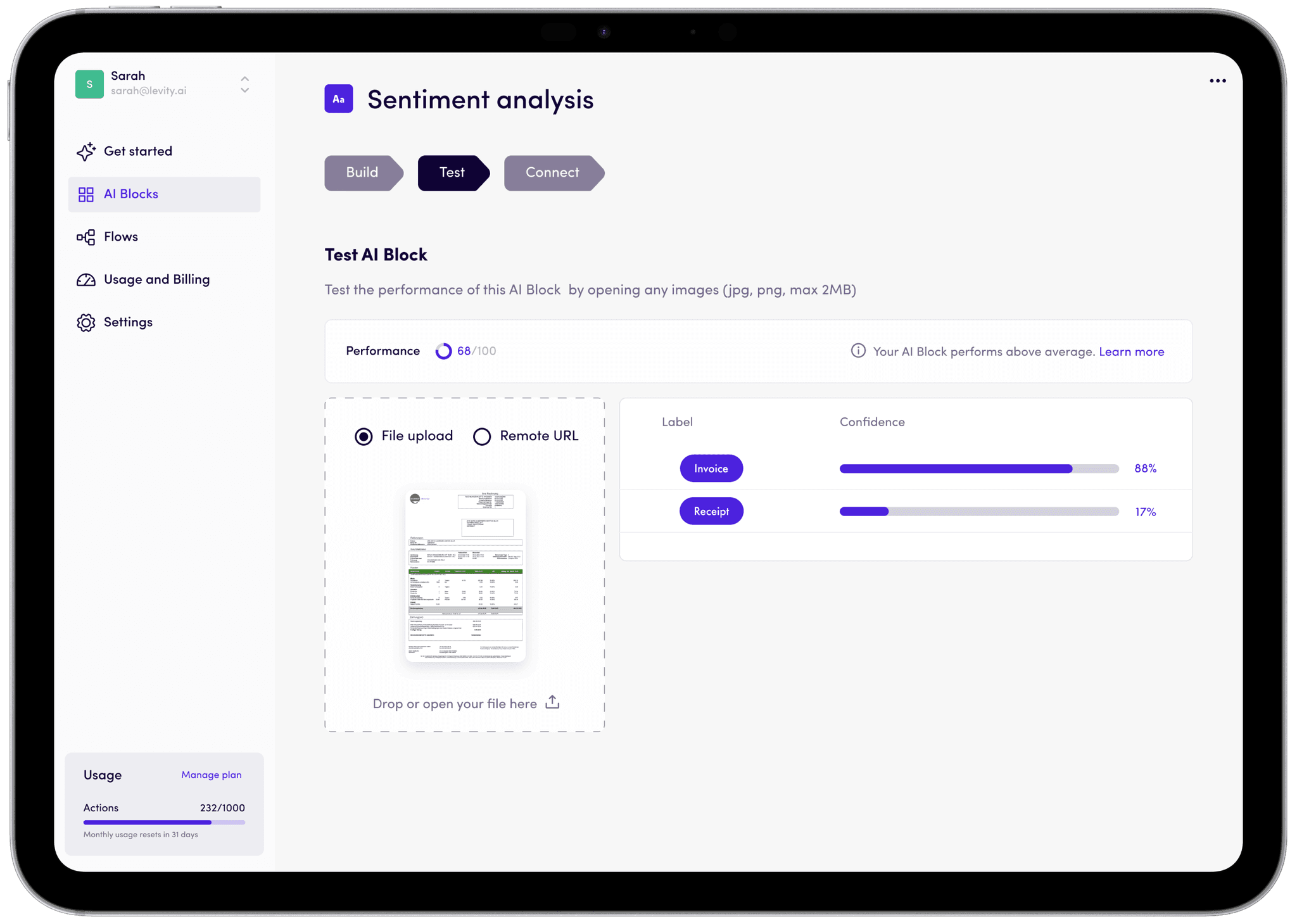
To streamline model evaluation, we designed a user-friendly Testing interface. Users can now quickly upload test data or input text directly to assess their newly trained AI model's accuracy. The interface provides instant results, displaying the model's predictions. This immediate feedback allows users to efficiently gauge their model's performance and make informed decisions about further training or deployment.
05
Key Learnings
This project was incredibly exciting and rewarding for me, especially as it was part of my first full-time job. It offered real value, involved research, wireframing and required detailed interaction design. I gained valuable insights into product development and business processes.
Key takeaways included:
Adaptability: I learned to adjust to evolving requirements, new timelines, and resource constraints.
Advocating for UX: I discovered the importance of consistently championing good user experience, even in challenging circumstances.
Realistic Expectations: I understood the value of not overpromising and underdelivering. Rather shipping in iterations.
MVP Definition: I gained clarity on defining a true Minimum Viable Product versus an incomplete solution.
This experience, filled with many firsts, taught me how to navigate the complexities of real-world product development and prepared me for future challenges in my career.